Welcome to the world of serverless computing, where Azure Functions stands as a game-changer. This powerful tool lets developers run code on-demand without managing servers—saving time, cost, and complexity.
What Are Azure Functions?

Azure Functions is Microsoft’s serverless compute service that enables you to run small pieces of code—called functions—in response to various events. Whether it’s an HTTP request, a message in a queue, or a scheduled timer, Azure Functions automatically scales and executes your code with minimal configuration.

Core Concept of Serverless Computing
Serverless doesn’t mean there are no servers—it means you don’t manage them. Instead, cloud providers like Microsoft Azure handle infrastructure provisioning, scaling, patching, and availability. Developers simply deploy code and pay only for the compute time used.
- No need to provision or maintain virtual machines
- Automatic scaling based on demand
- Pay-per-execution pricing model
“Serverless allows developers to focus purely on code logic, not infrastructure.” — Microsoft Azure Documentation
How Azure Functions Fit Into the Cloud Ecosystem
Azure Functions integrates seamlessly with other Azure services such as Azure Blob Storage, Event Hubs, Service Bus, and Cosmos DB. This makes it ideal for building microservices, data processing pipelines, and real-time APIs.
For example, when a user uploads an image to Azure Blob Storage, a function can automatically trigger to resize the image or extract metadata—without any manual intervention.
Learn more about integration capabilities at Microsoft’s official Azure Functions documentation.
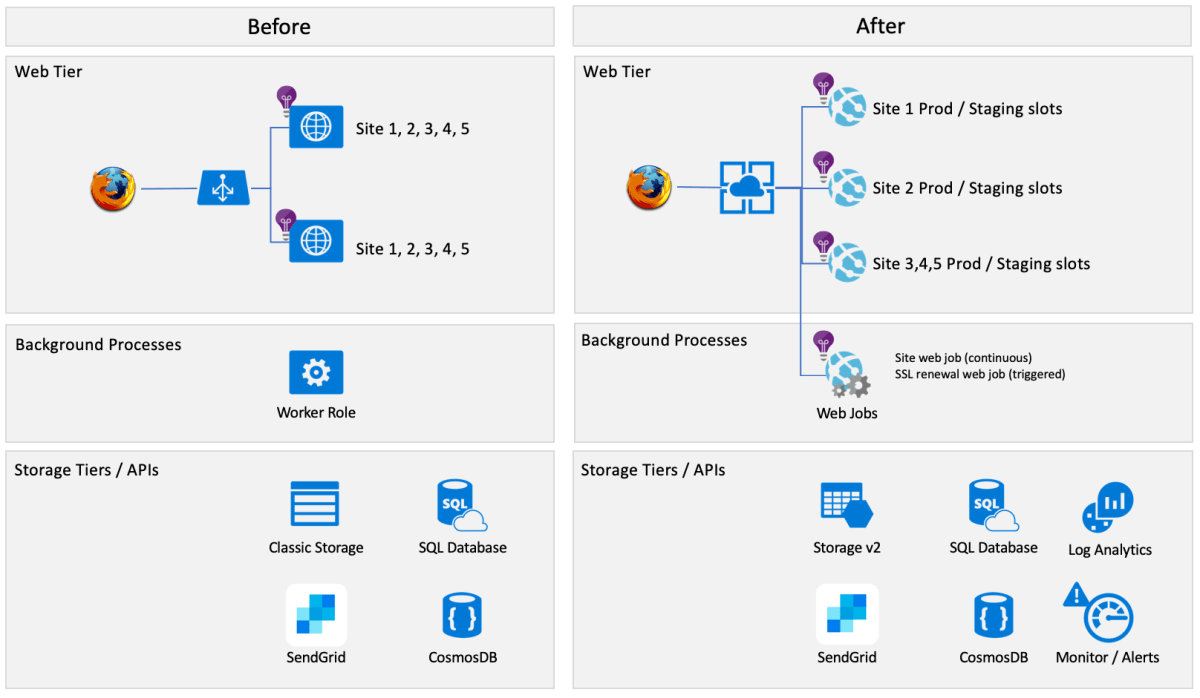
Azure Functions vs Traditional Web Apps
Understanding the differences between Azure Functions and traditional web applications helps clarify when to use each. While both run in the cloud, their architecture, scalability, and cost models differ significantly.
Architecture Comparison
Traditional web apps (like ASP.NET or Node.js apps) run continuously on web servers or app services. They listen for requests 24/7, even during idle periods. In contrast, Azure Functions follow a reactive model—they start only when triggered.
- Traditional apps: Always-on, long-running processes
- Azure Functions: Short-lived, event-driven executions
- Functions scale out instantly under load; traditional apps require manual or rule-based scaling
Cost and Resource Efficiency
With Azure App Service, you pay for the entire instance—even if it’s idle. But Azure Functions use the Consumption Plan, where you’re billed only for the milliseconds your code runs.
This makes Functions extremely cost-effective for sporadic workloads. For instance, a function that runs 100 times a day for 200ms each might cost just pennies per month.
“Azure Functions can reduce backend costs by up to 90% compared to always-on services.” — Azure Pricing Calculator Analysis
Key Features of Azure Functions
Azure Functions offer a rich set of features designed to simplify development, improve performance, and enhance integration. Let’s explore the most impactful ones.
Event-Driven Triggers and Bindings
Triggers define what causes a function to run, while bindings allow easy input/output connections to other services. Azure Functions support over 30 built-in triggers and bindings.
- HTTP triggers for REST APIs
- Timer triggers for cron-like scheduled tasks
- Blob, Queue, and Table storage triggers
- Event Grid, Service Bus, and IoT Hub integrations
Bindings eliminate boilerplate code for connecting to databases or message queues. For example, instead of writing code to connect to Azure Queue Storage, you simply declare a binding in the function.json file or via attributes in C#.
Language Support and Development Flexibility
Azure Functions supports multiple programming languages, including C#, JavaScript/Node.js, Python, Java, PowerShell, and TypeScript. This polyglot support allows teams to use their preferred tech stack.
Additionally, developers can write functions using Visual Studio, VS Code, or directly in the Azure portal. The Functions Core Tools enable local testing and debugging before deployment.
Explore language-specific guides at Azure Functions Supported Languages.
Built-in Monitoring and Diagnostics
Every function execution is automatically logged and integrated with Azure Monitor and Application Insights. You can track execution duration, error rates, and trace logs in real time.
This built-in observability helps identify performance bottlenecks and troubleshoot issues quickly. Custom telemetry can also be added using standard logging APIs.
Scaling and Performance of Azure Functions
One of the biggest advantages of Azure Functions is its ability to scale automatically based on workload. This ensures high availability and responsiveness, even during traffic spikes.
Automatic Scaling Mechanism
In the Consumption Plan, Azure dynamically allocates resources as events arrive. Each function instance handles one message at a time (by default), and new instances are spun up as needed—up to hundreds or thousands.
Scaling is near-instantaneous. When a burst of HTTP requests hits your API endpoint, Azure can launch dozens of function instances within seconds.
- No cold start concerns for moderate traffic
- Scale zero: Functions shut down completely when idle
- Maximum instance limits configurable per region
Performance Optimization Tips
To get the best performance from Azure Functions, consider these best practices:
- Minimize package size to reduce cold start time
- Use Durable Functions for stateful workflows
- Leverage dependency injection and static clients (e.g., for HttpClient)
- Choose Premium or Dedicated plans for low-latency requirements
Cold starts—delays when a function starts after being idle—can be mitigated using Premium Plans, which keep instances warm.
Use Cases for Azure Functions
Azure Functions shine in scenarios where lightweight, event-driven logic is needed. Here are some real-world applications across industries.
Data Processing and ETL Pipelines
Functions are perfect for Extract, Transform, Load (ETL) operations. For example, when a CSV file is uploaded to Blob Storage, a function can parse it, validate data, transform formats, and insert records into a database.
This pattern is widely used in financial reporting, IoT telemetry ingestion, and log aggregation systems.
Real-Time File and Image Processing
When users upload images or documents, Azure Functions can automatically trigger to generate thumbnails, apply watermarks, or convert file formats. Integration with Azure Cognitive Services allows for AI-powered image analysis like face detection or OCR.
A media company might use this to auto-tag photos or moderate content before publishing.
API Backends and Webhooks
Developers use Azure Functions to build lightweight REST APIs or handle webhook callbacks from third-party services like GitHub, Stripe, or Twilio.
Because each function can expose an HTTP endpoint, they serve as modular microservices. For example, a /process-payment function can integrate with Stripe and update a user’s subscription status in a database.
Security and Identity Management in Azure Functions
Security is critical when exposing functions to the internet or integrating with sensitive systems. Azure provides robust tools to secure your functions end-to-end.
Authentication and Authorization Options
Azure Functions support built-in authentication via Azure Active Directory (AAD), Facebook, Google, Twitter, and Microsoft Account. You can enable App Service Authentication/Authorization with just a few clicks.
This allows you to restrict access to specific users or roles without writing custom login logic.
- Easy integration with enterprise identity providers
- Support for OAuth 2.0 and OpenID Connect
- Token validation and claims-based authorization
Securing Secrets and Configuration
Never hardcode API keys or connection strings in your function code. Instead, use Azure Key Vault or Application Settings to store secrets securely.
Application Settings are encrypted at rest and accessible via environment variables. Key Vault integration allows dynamic retrieval of secrets at runtime with fine-grained access control.
Learn how to integrate Key Vault at Azure Functions Secrets Management.
Deployment and DevOps for Azure Functions
Modern development requires automated, reliable deployment pipelines. Azure Functions support CI/CD through GitHub Actions, Azure DevOps, and third-party tools.
Continuous Integration and Deployment
You can set up a pipeline where every push to a GitHub repository triggers an automatic build and deployment to an Azure Function App. This ensures consistent environments and faster release cycles.
- Use GitHub Actions or Azure Pipelines for automation
- Deploy from zip files, containers, or source control
- Support for staging slots and blue-green deployments
Local Development and Testing
The Azure Functions Core Tools let you run and debug functions locally on your machine. You can simulate triggers, inspect logs, and test integrations before deploying to the cloud.
VS Code extensions provide IntelliSense, debugging, and one-click deployment, making local development smooth and efficient.
Advanced Scenarios: Durable Functions and Orchestration
While basic Azure Functions are stateless and short-lived, Durable Functions extend the platform to support long-running, stateful workflows.
What Are Durable Functions?
Durable Functions is an extension of Azure Functions that enables you to write stateful functions in a serverless environment. It uses the orchestration pattern to coordinate multiple function calls over time.
Common patterns include:
- Function Chaining: Execute functions in sequence
- Fan-out/Fan-in: Run multiple functions in parallel, then aggregate results
- Human Interaction: Wait for external input (e.g., approval email)
- Monitoring: Implement long-running control loops
For example, an order processing system might use Durable Functions to validate payment, notify inventory, send confirmation emails, and update CRM—all in a single orchestrated flow.
Use Cases for Orchestration
Durable Functions are ideal for complex business processes that require reliability, retry logic, and visibility into execution state.
Industries like healthcare, finance, and logistics use them for claims processing, loan approvals, and shipment tracking.
Explore Durable Functions documentation at Durable Functions Overview.
Pricing Models and Cost Management
Understanding Azure Functions pricing is essential for optimizing costs and selecting the right plan.
Consumption Plan vs Premium Plan vs Dedicated Plan
Azure offers three main hosting plans:
- Consumption Plan: Pay only for execution time. Ideal for unpredictable or low-traffic workloads.
- Premium Plan: Offers pre-warmed instances, VNET connectivity, and better performance. Suitable for production APIs with latency sensitivity.
- Dedicated Plan (App Service Plan): Runs on dedicated VMs. Best when you already have an App Service Plan and want to consolidate resources.
The Consumption Plan has a free tier (1 million requests/month), making it great for startups and prototypes.
Cost Estimation and Optimization
To estimate costs, consider:
- Number of executions per month
- Average execution duration (in GB-seconds)
- Memory usage
- Outbound data transfer
Use the Azure Pricing Calculator to model different scenarios. Optimize by reducing function duration, reusing connections, and choosing the right plan.
Best Practices for Building Reliable Azure Functions
Following best practices ensures your functions are efficient, maintainable, and resilient.
Write Idempotent and Stateless Functions
Since functions can be retried or run concurrently, avoid relying on in-memory state. Design functions to produce the same result even if called multiple times with the same input.
For example, when processing a payment, check if it’s already been processed before charging the user again.
Handle Errors and Implement Retry Logic
Use try-catch blocks and structured logging to capture errors. Configure retry policies in host.json to automatically retry failed executions.
Durable Functions provide built-in retry capabilities with exponential backoff.
Monitor and Alert on Function Health
Integrate with Application Insights to set up alerts for failures, slow responses, or high invocation rates. Use dashboards to visualize performance trends over time.
What are Azure Functions used for?
Azure Functions are used to run small pieces of code in response to events like HTTP requests, file uploads, or scheduled timers. Common uses include data processing, API backends, automation, and integrating cloud services.
How much does Azure Functions cost?
Azure Functions offer a free tier (1 million requests/month) on the Consumption Plan. Beyond that, you pay per execution and execution time. Premium and Dedicated plans have fixed monthly costs but offer enhanced features like VNET access and cold start reduction.
Can Azure Functions call other functions?
Yes, one function can call another via HTTP triggers or message queues. With Durable Functions, you can orchestrate multiple functions in complex workflows with state management and error handling.
How do I debug Azure Functions locally?
You can debug Azure Functions locally using the Azure Functions Core Tools and Visual Studio Code or Visual Studio. Set breakpoints, inspect variables, and simulate triggers without deploying to the cloud.
Are Azure Functions secure?
Yes, Azure Functions are secure by default. You can enhance security with authentication providers, managed identities, Key Vault integration, and network restrictions like VNETs and private endpoints.
Azure Functions revolutionize how developers build and deploy code in the cloud. By removing server management, enabling automatic scaling, and supporting event-driven architectures, they empower teams to deliver value faster and more efficiently. Whether you’re processing data, building APIs, or orchestrating workflows, Azure Functions provide a flexible, cost-effective, and powerful platform. As serverless computing continues to evolve, mastering Azure Functions will remain a critical skill for modern cloud development.
Further Reading:
